
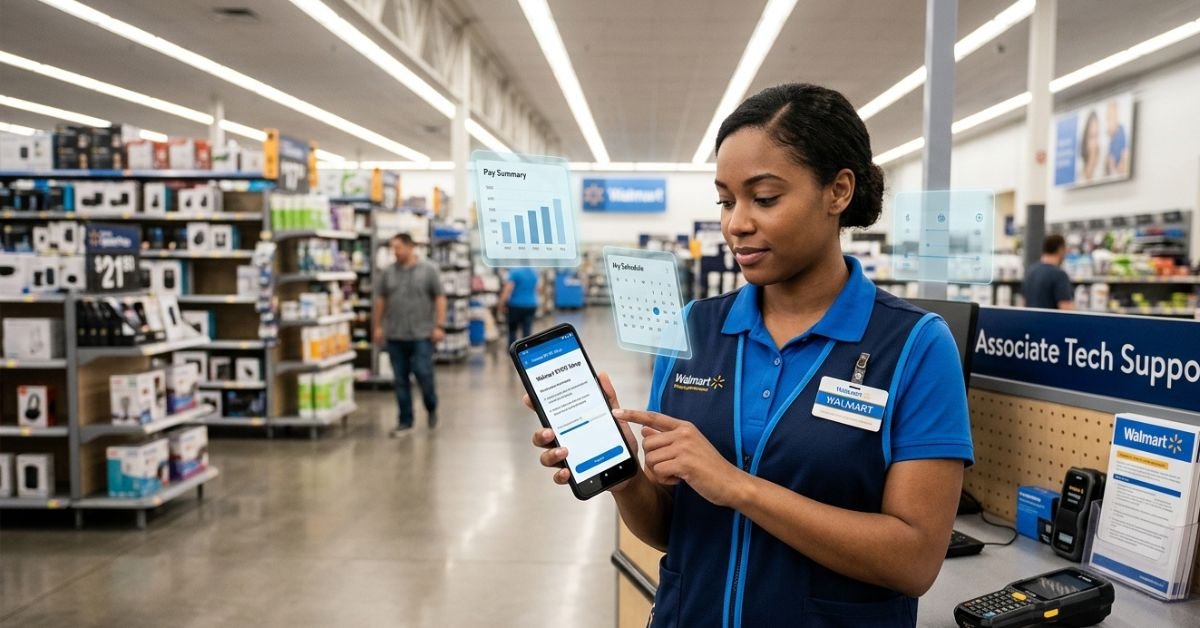
walmart byod setup salary rolled out BYOD years ago as a voluntary option for store associates. It lets you download work apps (mainly through the Me@Walmart platform) onto your personal phone so you can clock in, check schedules, look up inventory, and help customers faster without hunting for company handhelds.
The program pairs with the Me@Walmart app, which consolidates tools for scheduling, timekeeping, communication, and operations. Work features activate only when you’re on the clock usually via geofencing at the store. Clock out, and access shuts down. This protects both sides.
Step-by-Step Walmart BYOD Setup (2026)
Setting it up is straightforward but requires a few official steps.
- Enroll via One.Walmart Log into the internal One.Walmart portal (usually on a company computer while clocked in). Search for BYOD or go through personnel. Your store manager or People Lead can assist.
- Download the Me@Walmart App Available on Google Play and App Store. This is the main hub.
- Follow Device Enrollment For Android, this often involves Intelligent Hub or similar MDM (Mobile Device Management) tools. You’ll enter server details, your credentials (WIN number + password, sometimes with specific formatting like store number), and set up a work profile. iOS users follow on-screen prompts for configuration profiles.
- Verify and Test Once enrolled, test clock-in and basic features. Contact Field Support (e.g., 479-273-4357) if stuck.
What You Can Do With Me@Walmart on Your Phone
- View and manage your schedule (request time off, pick up shifts).
- Mobile clock in/out with geofencing.
- Push-to-talk communication (like a walkie-talkie).
- Ask Sam (voice assistant for product locations, inventory, sales data).
- Real-time inventory checks, pricing, and stocking tools.
- Access announcements and performance-related info.
These tools help you work faster and serve customers better.
Privacy and Security: What Walmart Sees
This is a common worry. Walmart uses a contained work profile or MDM:
They can see: Device make/model, OS version, battery level, phone number, carrier, and work-related data/activity.
They cannot see: Personal photos, texts, emails, browsing history, personal apps, or location outside work features.
The separation keeps your personal life private while securing company data.
Walmart BYOD and Salary: The Honest Breakdown
Does BYOD increase your salary? No. Your pay stays tied to your role, experience, location, and performance not device usage.
As of 2026, the average U.S. hourly field associate earns about $18.25 per hour. Starting wages often range $14–$19+ depending on market, with higher rates in high-cost areas and for supply chain roles (around $27/hour on average).
Performance-based raises have become more common, so using tools like BYOD efficiently can indirectly help your reviews and future pay bumps by boosting productivity.
Perks instead of extra salary:
- Monthly phone bill discounts through carrier partnerships (e.g., $10 off certain plans).
- Convenience that can lead to better shifts or performance metrics.
- No need to share worn-out handhelds.
Comparison: BYOD vs Company Handhelds
| Aspect | BYOD (Personal Phone) | Company Handheld |
|---|---|---|
| Convenience | Always with you, instant access | Hunt for device, charging issues |
| Speed | Usually faster on modern phones | Often slower, shared wear |
| Cost to You | Your data plan + possible discount | Free device, but limited availability |
| Privacy | Work profile separation | Fully company device |
| Availability | Voluntary | Shared resource |
Myth vs Fact
Myth: Walmart pays extra salary or a stipend for BYOD. Fact: No direct pay bump. The main incentives are convenience and phone bill discounts.
Myth: BYOD means you’re expected to work off the clock. Fact: Features lock down outside shift times and store location.
Myth: Your personal data is fully exposed. Fact: Clear separations protect personal information.
EEAT Insights from Retail Operations Experience
Having tracked Walmart programs and associate feedback over years, the biggest mistake people make is expecting BYOD to come with big financial upside. It doesn’t replace solid hourly pay or performance-driven raises. The real value shows in daily workflow: associates who master these tools often handle more volume, earn better reviews, and position themselves for advancement. Many managers started on the floor using exactly these systems.
FAQs
How do I set up Walmart BYOD on my phone?
Enroll through One.Walmart (clocked in at the store), download Me@Walmart, and follow the MDM prompts for your device type. Android often uses Intelligent Hub; ask personnel for exact server/group details.
Does Walmart pay extra for using your own device?
BYOD is voluntary and doesn’t change your base hourly rate. You may get carrier discounts on your phone bill.
What is the average Walmart salary in 2026?
Hourly field associates average around $18.25/hour nationally, with starting pay varying by location and role. Supply chain and management positions pay more.
Will Walmart see my personal photos or texts?
Work features run in a separate profile, and personal data stays private.
Is BYOD required at Walmart?
No, it’s optional. You can still use shared handhelds.
Can I use any phone for Walmart BYOD?
Most modern unlocked smartphones work, but check compatibility during enrollment. Newer devices perform best.
CONCLUSION
Walmart’s BYOD program delivers real efficiency gains for associates willing to use their own phones. Combined with competitive hourly pay, benefits like 401(k) matching, stock purchase plans, and education support, it forms part of a practical package for many.Understand the setup, weigh the convenience against your data comfort, and focus on performance for the best earnings trajectory. Tools like this keep evolving, so staying current gives you an edge.
CLICK HERE FOR MORE BLOG POSTS

“In a world of instant takes and AI-generated noise, John Authers writes like a human. His words carry weight—not just from knowledge, but from care. Readers don’t come to him for headlines; they come for meaning. He doesn’t just explain what happened—he helps you understand why it matters. That’s what sets him apart.”